
Simple steps to get started
The sleek and modern EFTPOS machine designed to suit your payment needs.
Simple steps to get started
| Find out how to set up your charging base and ethernet base here |
|---|
Unbox your machine and accessories

WARNING
The Tyro Pro Series Payment Terminals and their ethernet and charging bases contain electronic components and should be kept away from liquids and excessive moisture. Direct contact with liquids can damage the devices, potentially leading to malfunction or failure, or personal harm. This terminal is designed for indoor use only and to be operated in a dry environment and only with approved power supplies and cables.
To ensure safe use do not expose the terminal to:
- Liquids, splashes, or spills, excessive moisture or condensation
- Ensure that cables and terminal connections are dry before charging and use
- Follow cleaning instructions outlined in the user guide
In environments with higher risk of water or contact with liquids:
- Position the terminal away from wet areas as much as practical
- Use accessory stands where appropriate to elevate the terminal and bases (visit Tyro.com for more info)
- Take precautions when cleaning down wet areas to ensure terminals and cables are removed and or protected from water ingress.
If the terminal, cables or power-supply are exposed to liquid:
- Disconnect the terminal from the power supply immediately if safe to do so.
- Stop using the device.
- Contact our support team on 1300 108 976
Get to know your Tyro Pro Touch and Tyro Pro Key
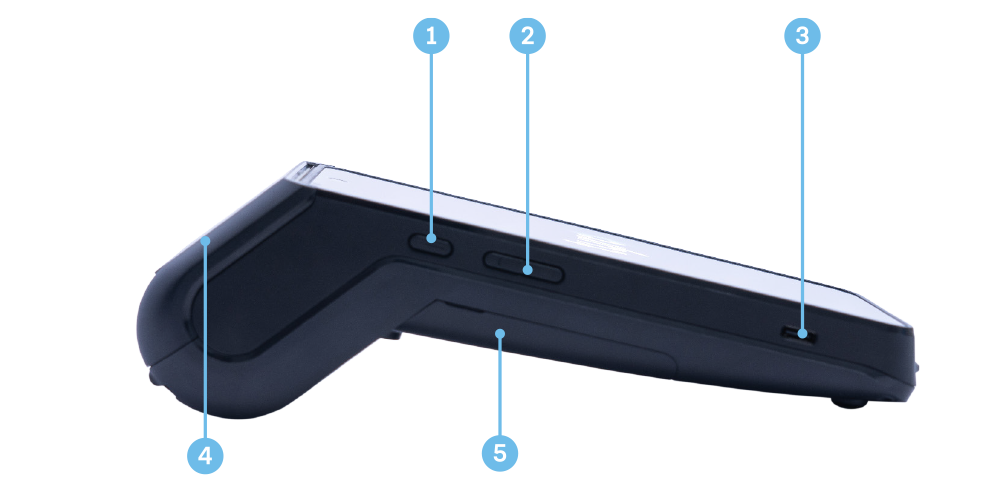
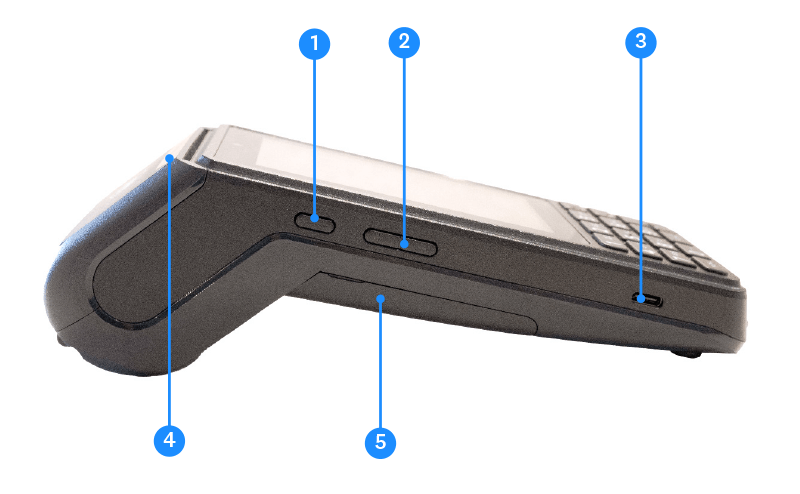
- Power button
- Volume keys
- USB type-C connector for power charging
- Paper roll cover
- Battery cover
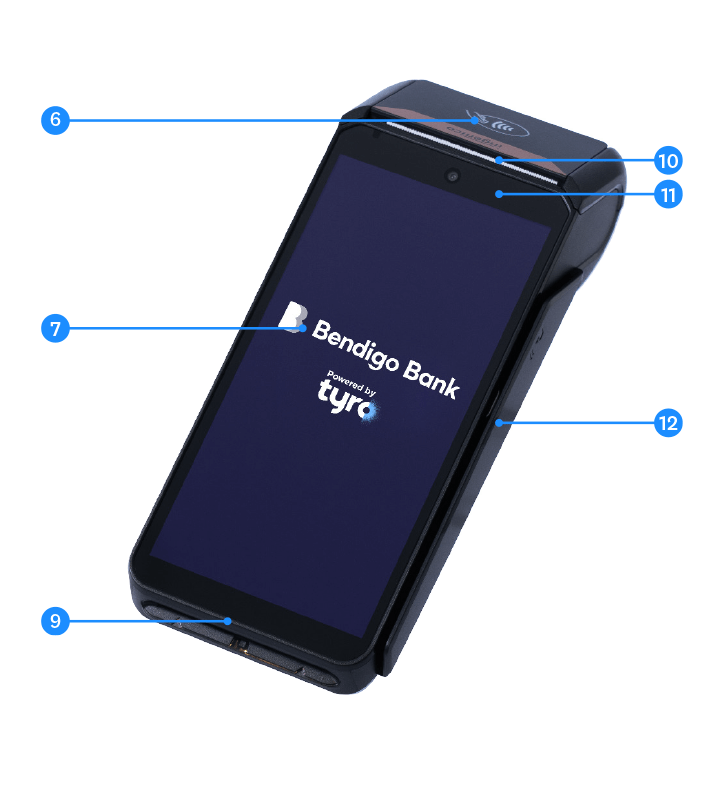
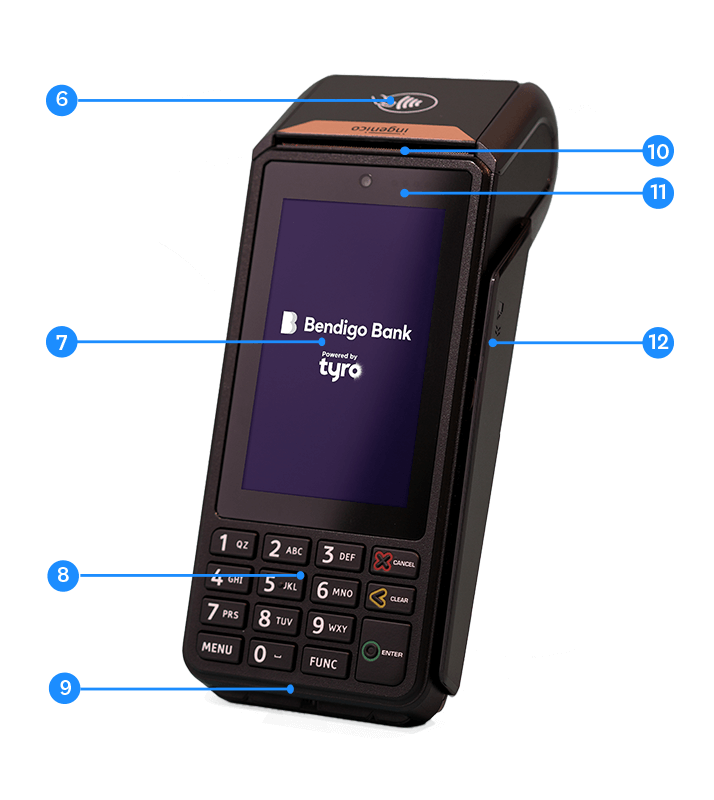
- Contactless sensor
- High resolution touch screen
- Keypad (Pro Key Only)
- Smart card reader
- Easy loading printer
- LEDs for contactless transactions
- Magnetic card reader
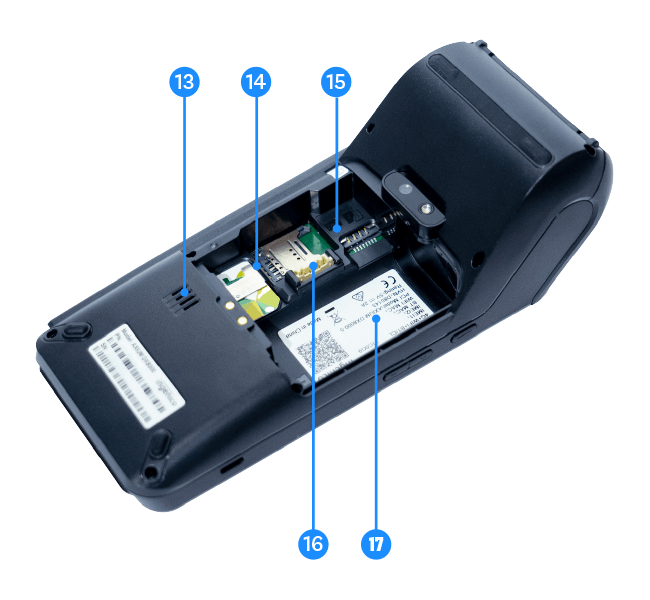
- Speaker
- SIM 2 card slot
- SIM 1 card slot
- Battery socket
- Battery compartment
| Please note: The Pro Series EFTPOS machines and their ethernet and charging bases contain electronic components and should be kept away from liquids and excessive moisture. Direct contact with liquids can damage the devices, potentially leading to malfunction or failure. |
|---|
Ensuring you’re protected
As a requirement of the PCI Security Standards Council – all companies and personnel connected in any way with cardholder data must be trained to protect devices which capture payment card data through physical interaction with a payment card. Click here and scroll to the bottom for a guide on what to review with your staff on a regular basis.
