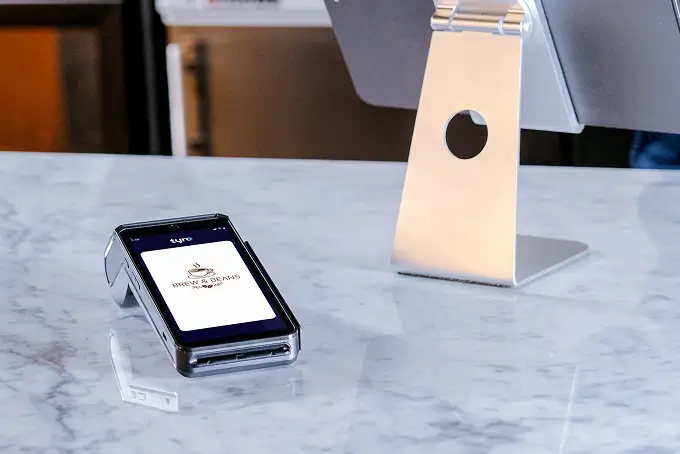
custom welcome screen
EFTPOS FEATURES

Introducing Custom Welcome Screen

Your terminal can do more than take payments. With Custom Welcome Screen, you can easily showcase your brand, promote offers, or share messages – right where customers are already looking.

Boost brand visibility 

Keep your brand and offers front of mind with customers, at the moment they engage.

Simple set-up, total control

Upload and manage your screen content in minutes via the Tyro Portal.

Fast payments, uninterrupted

Built for performance, so your payments stay fast and seamless 1.

Drive sales and loyalty

Make every payment an opportunity to upsell, cross-sell, or build loyalty.

custom welcome screen
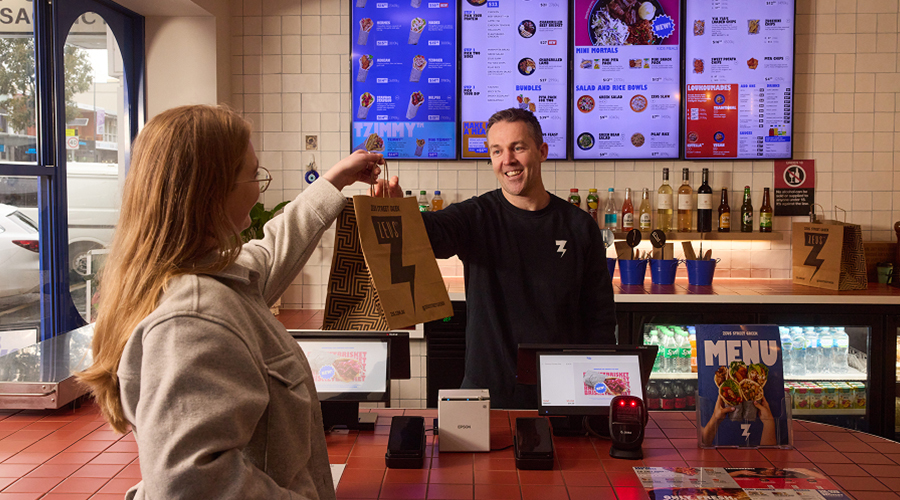
hospitality business owner accepting payment with Tyro
Food delivery driver picking up takeaway from a restaurant

GIVE YOUR BUSINESS A NEW PLATFORM TO SELL

Capture attention at every payment and make it count. All without extra hardware or costs.

Watch the Custom Welcome Screen in action

Get set up in minutes

Follow these steps to get the custom welcome screen enabled on your tyro EFTPOS terminal.

1

Log in to the Tyro Portal

2

Upload your logo or promotional image

3

Preview it in real time

4

Publish across your business, site or individual terminals

Branded EFTPOS screens for every business

Zeus Greek server

Hospitality

  • Promote happy hour or limited-time specials
  • Drive loyalty sign-ups or online ordering via QR code
  • Fill seats with events and bookings

Retail

  • Showcase seasonal promos and collections
  • Boost loyalty sign-ups with QR
  • Reinforce returns and exchange messaging
Worker in automotive store

Services and Trades

  • Encourage referrals
  • Promote packages and special offers
  • Remind customers to book again

Frequently Asked Questions

Login to your Tyro Merchant Portal, under “My Organisation” select “Brand & appearance” followed by “Customise now” and follow the steps to create and apply your theme.

Users must have at least system admin, service manager, finance manager or manager role permissions of the Merchant Portal. Refer to our Roles and Permissions article for further details.

Yes. With the correct permissions or role, you can manage the welcome screen across multiple locations at the ABN, MID, Site, or Terminal level.

Custom Welcome Screen is available on all Tyro Pro Series terminals that are integrated with POS (Point of Sale) software 2.

There is no impact to transaction speed or service uptime.

The Custom Welcome Screen feature is at no additional cost for Tyro Payments customers who have Pro Series terminals 2.

For best results, upload a JPG, SVG or PNG file, up to 2MB.

We recommend using an image size of 720×1140 px. Photos and non-vector graphics should be 720 px wide.

If you’re uploading a logo only, use a solid background rather than a transparent one.