
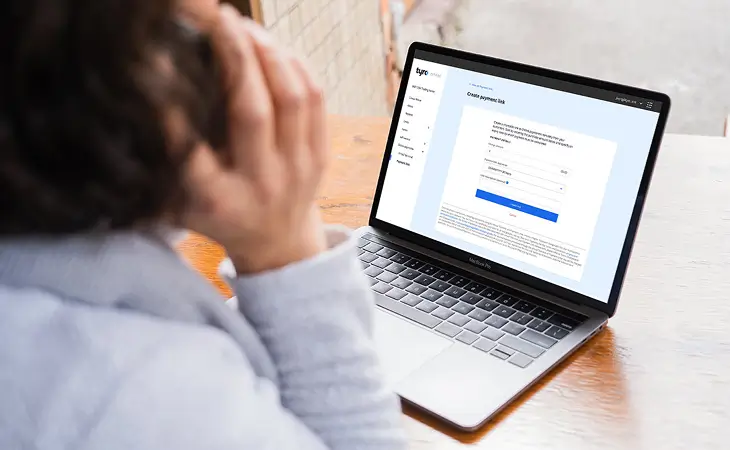
Person on the phone looking at Payment Links screen
Online payments

Get paid from anywhere with Payment Links

Want to accept a payment when you’re not face-to-face with a customer? Just create a Payment Link 1 through the Tyro Portal and share it with your customer. It’s a fast, secure way to collect a payment, wherever you are.

Merchant Groups and some Merchant types (MCCs) are not eligible for Payment Links 1. Click here to learn more.

So simple

Create a link and track the payment all from the Tyro Portal.

Get paid from anywhere

Wherever you are and whatever the time, you can request and accept payments.

No set up required

Easily access Payment Links via the Tyro Portal.

Fast payments

Request and accept a payment in just a few clicks.

Tyro Payment Links

Give your customers another way to pay

Be more flexible in how you request and accept payments.
To create a Payment Link & then share it with your customer, click the button to log in to the Tyro Portal.

More flexibility in how you request and accept payments

  • Built-in tracking and reporting

    See when links have been paid by your customers or if you need to follow up

  • No set up needed

    Create a Payment Link 1 in seconds. Just add a description, the price and an expiry date.

  • Many ways to share

    Share Payment Links with your customers via email, text, or on messaging platforms.

Why use Payment Links?

Some businesses don’t need full website integrations and bookings. Payment Links is a light-weight alternative that comes with your Tyro payments solution.

Person on their phone

Going to a job? Or completed one?

Send a Payment Link before or after the job – less admin, more time on the tools.

Cafe owner looking at business loans on her computer

No online store, no worries

When a customer wants to purchase or reserve an item remotely and you don’t have an online store, send a Payment Link and allow them to pay securely from wherever they are.

More ways to grow your business

Find out how Tyro goes beyond EFTPOS to streamline commerce, cashflow and more across your business.

Frequently asked questions

Payment Links allow Tyro customers to create a link for a one-off payment through the Tyro Portal. The link allows a customer to make the payment online through a simple check out experience.

Tyro customers have access to Payments Links via the Portal. There is no additional set up required. If you’re not yet a Tyro customer, you can sign up here.

To access Payment Links, log into the Tyro Portal and click on ‘Payment Links’ under ‘Online Payments’ in the navigation bar on the left of your screen.

Payment Links is available to most Tyro customers. Merchant Groups and some business types (MCCs) may be excluded from card-not-present transactions using Payment Links, please see the link for the full list of exclusions.

You are able to send links directly from the Merchant Portal via SMS functionality at no additional cost. You can also share a Payment Link with customers online via SMS, email and messaging services by copying your link and sending it you customer through your preferred channel.

Payment Link transactions come with a 1.40% (incl GST) fee regardless of card type including international cards.

Payment Links support Visa, Mastercard and American Express card payments only. JCB is not supported via Payment Links (including where JCB may be available when American Express is enabled on other Tyro products), and other card schemes are currently not supported.

Each Payment Link can only accept a single payment from one customer.

Only Tyro EFTPOS and eCommerce customers have access to Payment Links.

Manager & Account Finance Manager user roles have access to Payment Links (excluding refunds). System Admin has full access. To set up another Admin call Tyro on 1300 00 8976